- Subscribe to RSS Feed
- Mark Topic as New
- Mark Topic as Read
- Float this Topic for Current User
- Printer Friendly Page
catering

05-14-2025 12:11 PM
Once a LEAD (in led tab) sits as CONVERTED (converted instantly as I created an estimate for the customer) and now the lead has decided not to move forward, how do I change them into DISQUALIFIED? I know there is the drop down tab that allows you to choose contacted, converted, disqualified, etc......but it becomes locked once it auto converts to CONVERTED and you can not access this drop down menu anymore.
I can lead the order, delete the lead but all I want to do is change to status so that I can see as I scroll - who is who/ what status my current leads are.
- Labels:
-
Technical Question


05-14-2025 12:20 PM
Thanks for reaching out to the community! I think you would have to update the contact with this info manually. Let me know if you have any other questions! 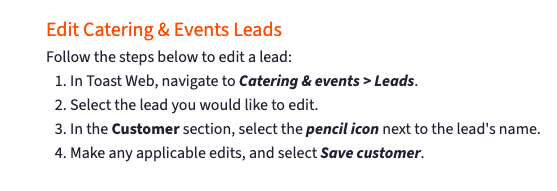
Create and Manage Catering & Events Leads
Robert Anderson, Community Manager
Toast

- SmartQuote Effectiveness in Guest Experience
- Children's Birthday parties in Guest Experience
- Feature Request: Maximum Amount Limit for Custom Tenders in Restaurant Operations
- Guest Facing Item Names in Restaurant Operations
- Anyone Using Tips Manager, Catering & Events, and MLM Together? in Restaurant Operations
